I am a Web Developer.

I am Naveen Kumar Reddy. I live in Andhra Pradesh. I am a Full Stack Javascript Developer, with experience in React, Nodejs and MongoDB.I consider myself a forever student. I actually find joy in learning and doing new things.
I like cricket, football and tennis. During these corona days, i picked up chess as a hobby and started to get good at it.
I started to learn programming years ago. I initially went into data scientist route and started to learn python and played with Numpy module. But, I switched to wev development because, working with numbers is kind of boring. I prefered to work in the creative field.
I also do have some beginner experience in languages like C++,Java.



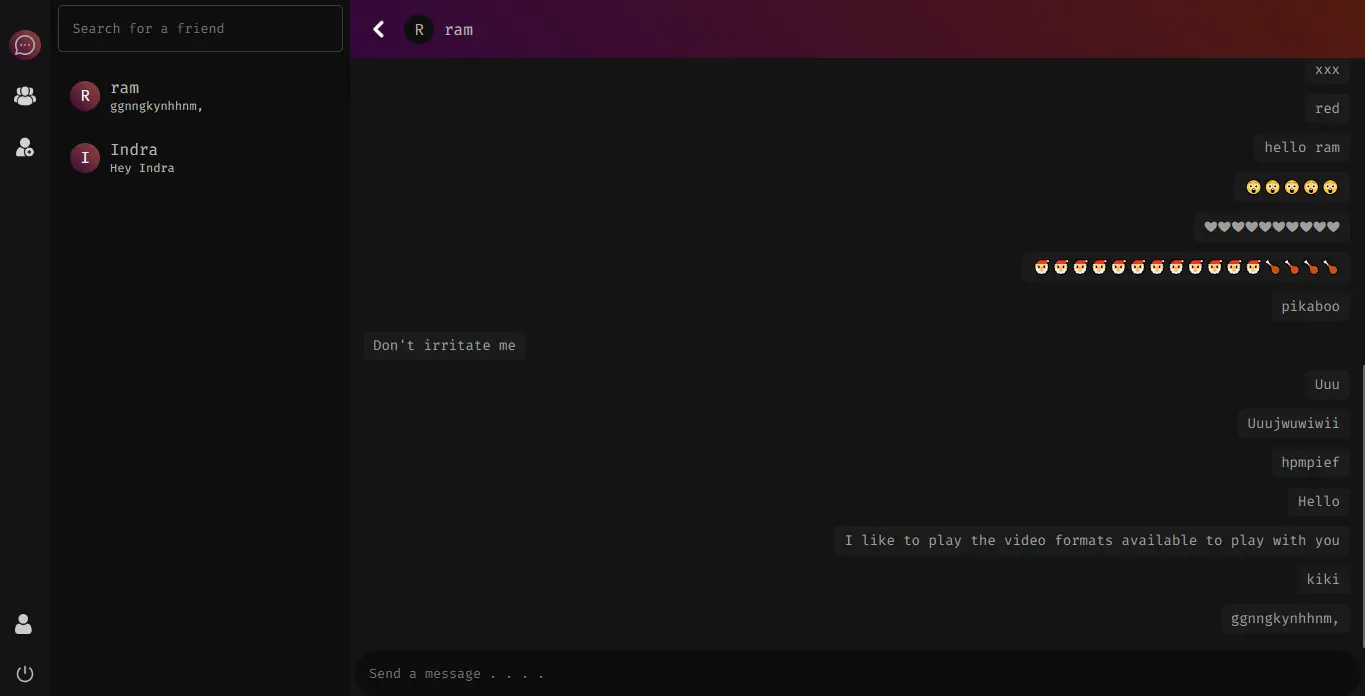

- Authentication Setup (SignUp and Login).
- First Signup and create an account.
- You will be redirected to the login page.
- Login with your credentials.
- Go to the "THIRD" tab (Add Friend tab) and search for you friend.
- Hit the send button to send a friend request (Create another user in a private window to simulate this experience).
- Your friend will receive your friend request (which can be "ACCEPTED" or "DECLINED").
- If accepted, Your friend will be added in your friends list in the first tab.
- You can send messages back and forth with your friend.
- In the second tab, you can enter a group name and create a group.
- And in the top right, you can click the icon and your friend to the group and have group conversations.
- By the way, LOGOUT button is in the bottom left corner.
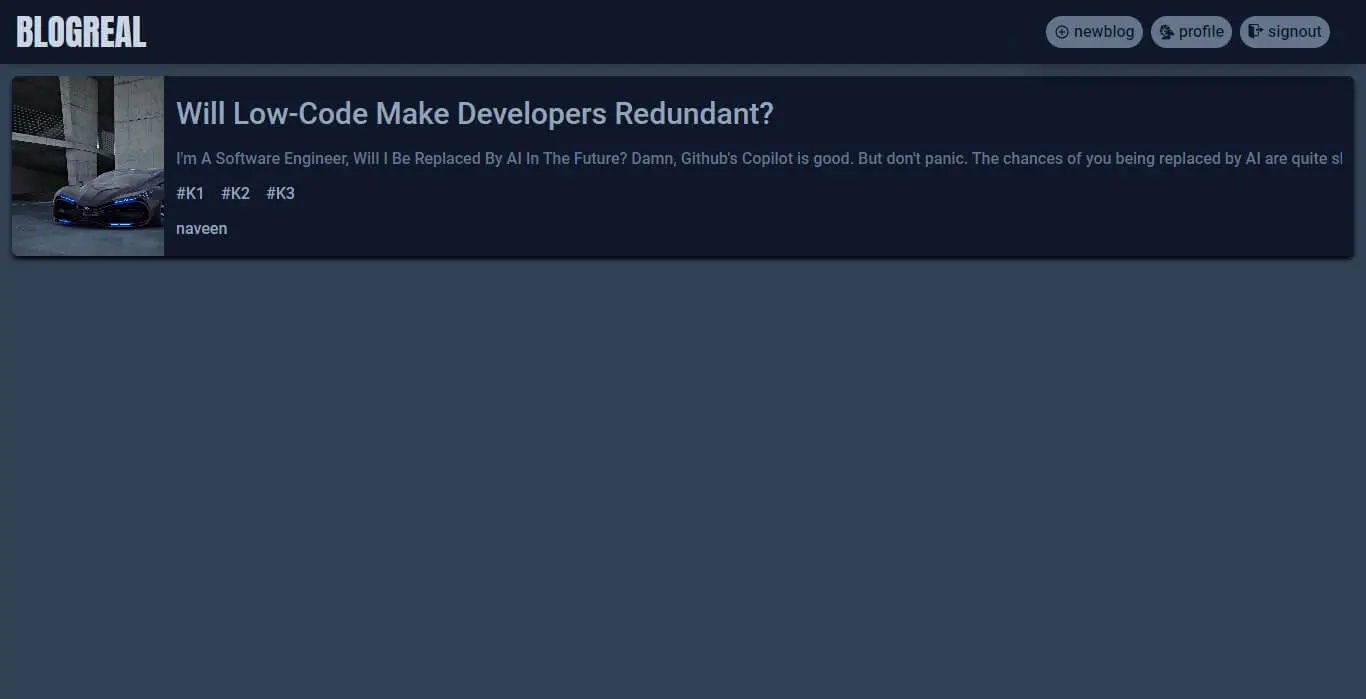
- You will be presented with the list of all blogs.
- You can click on the blog you are interested in and read more.
- You have to create an account if you want to create a blog.
- Click on the signup button in the navbar.
- First Signup and create an account.
- You will be redirected to the login page.
- Login with your credentials.
- You will be redirected to the homepage (Logged In Version).
- You can see the newblog and profile buttons in the navbar.
- You can go to the newblog page and enter all the info and press Upload.
- You will get a message saying "Blog created successfully".
- You can go to the homepage and see the article you have just created.
- The Profile tab is self explanatory
- Sign Out button is also in the page.
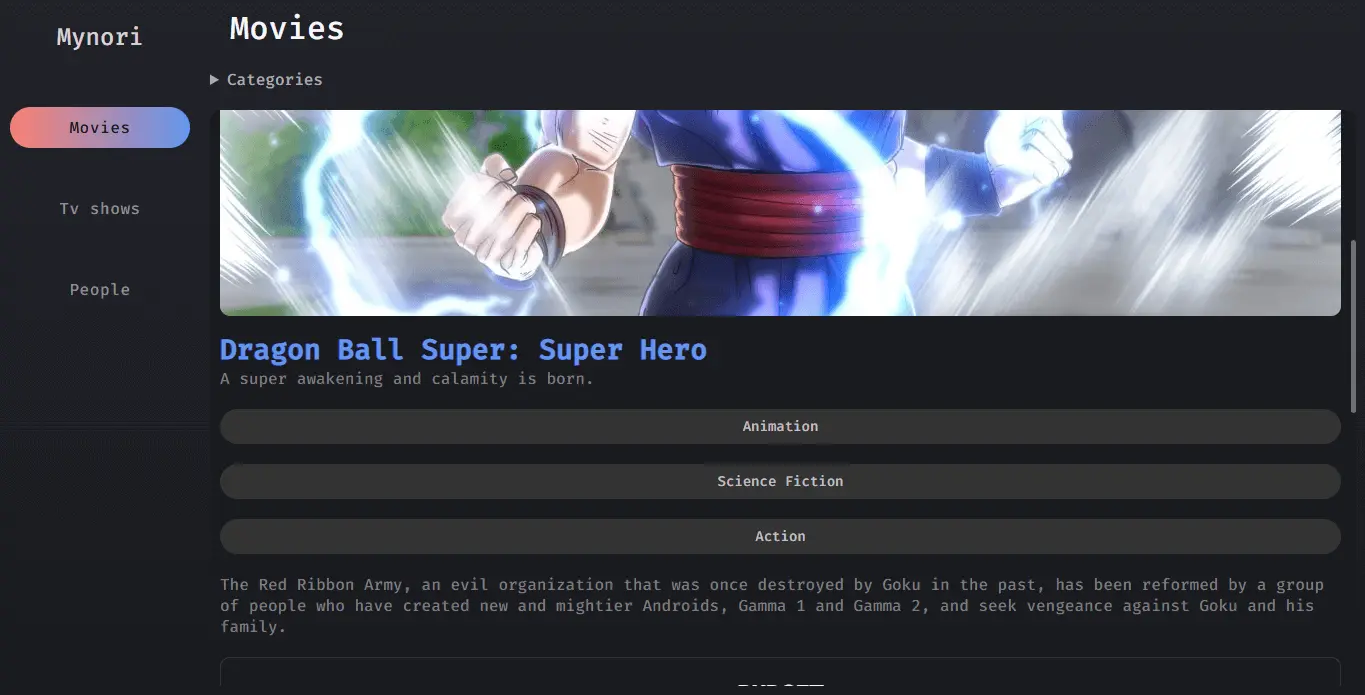
- You will land on the Movies Tab on the initial load of the website.
- You will get a list of movies and you can click any of the movie to see more information regarding that movie.
- You can change to a different category in the categories section.
- You can search any movie you want in the last category in the categories section.
- You can go to the Tv Shows Section and do the same thing as above regarding various categories and search option.
- And on top of that, You can deep into each season and each episode as well to read more information.
- The Persons Tab is Self Explanatory.
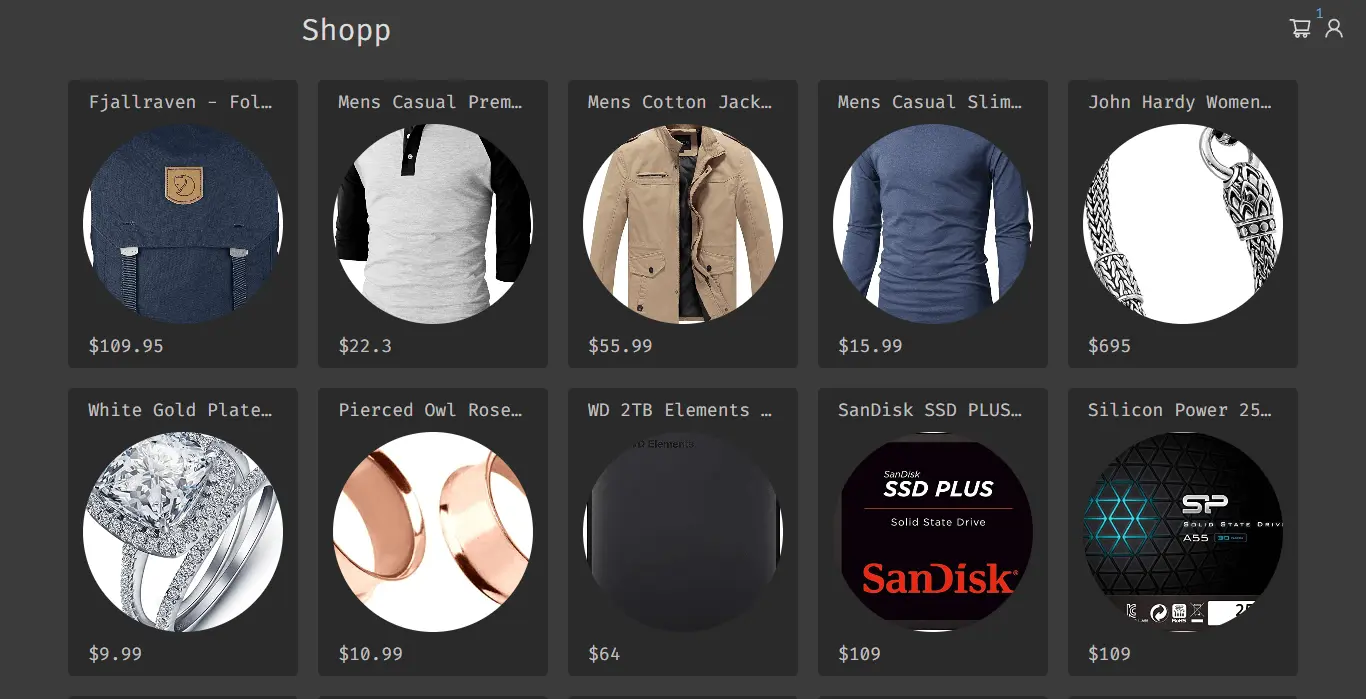
- You will be presented with list of all products on the intial load.
- You can click on the product to read more information about that product.
- In the top right corner, Click the person icon and go to the sign up page to create an account.
- Now, go to the login page and login in with your credentials.
- Now, you can go into each product and add products to your cart.
- Add some sample products and go into your cart by clicking the cart icon in the navbar.
- You can increase or decrease the number of products of any product in the cart.
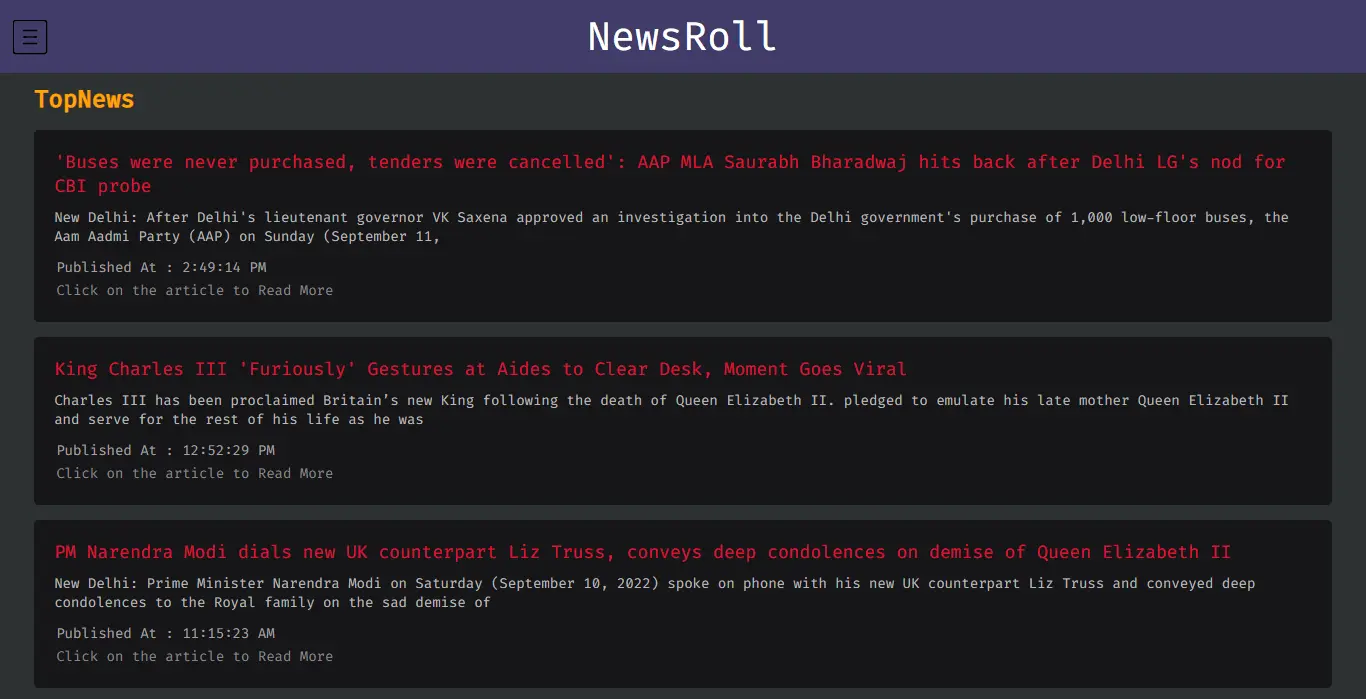
- It is a simple news app built with React.
- Click on the article and you will be redirected to the news article.
- Press the hamburger icon to open the menu from the left.
- Select any category you want.
- Enjoy the articles from that category.